
Imagine a small shop that keeps its orders in a database. The developer needs the website to reach that database, so she puts the connection details in a settings file, including the username and password. A few weeks later she publishes the project’s code in a public repository to show a friend. The password goes with it.
That password belongs to the database’s administrator account, which can read, change, or delete every table. No one exploits a flaw. The database also accepts connections from outside the shop’s network, so a stranger who finds the password in plain view can use it. (The shop and the developer are invented, but the pattern is real.)
This happens often because a database credential is easy to copy and hard to see. Protecting the data starts with controlling who and what can log in, and what each login is allowed to do. The rest of this article covers where credentials leak, how to give each account only the access it needs, and how to keep passwords out of code.
Where credentials leak
Most leaks start in ordinary places where a password was left in the wrong spot. The OWASP Secrets Management Cheat Sheet, a guide from a nonprofit security community, lists database credentials among secrets and notes that many organizations hardcode secrets in plain text in source code and configuration files.
The usual hiding places are:
- Code and settings files. A password typed into the program travels wherever the code goes.
- Container build settings. OWASP says secrets should never be hardcoded with Docker ENV or ARG commands.
- Logs and system dumps. Secrets should never be logged, and environment variables, a common way to pass settings, can appear in logs or system dumps.
- Pipeline output. The automated steps that build and ship software must not print secrets.
- Shared logins. OWASP’s Database Security Cheat Sheet advises using each database account for a single application or service, and changing passwords when staff leave.
The scale is large. GitGuardian, a company that sells secrets detection, counted 28.65 million new hardcoded secrets added to public GitHub commits in 2025, a 34% increase over the year before. It also found that more than 64% of credentials confirmed as valid in 2022 were still valid when retested in January 2026, so a leaked secret that no one changes can stay usable for years. Those totals cover all kinds of secrets, not only database passwords.
AI tools that query databases raise the same questions; see AI Agents and Database Security.
Give each account only the access it needs
A stolen password does less damage when the account it unlocks has limited permissions. This idea has a name, the principle of least privilege: every person and program gets the smallest set of permissions that lets them do their job. The OWASP Database Security Cheat Sheet applies it to databases with advice such as:
- Do not use built-in administrator accounts such as
root,sa, orSYSfor an application. - Do not make the application’s account the owner of the database.
- Use separate databases and accounts for development, testing, and production.
- Grant only the permissions that are required.
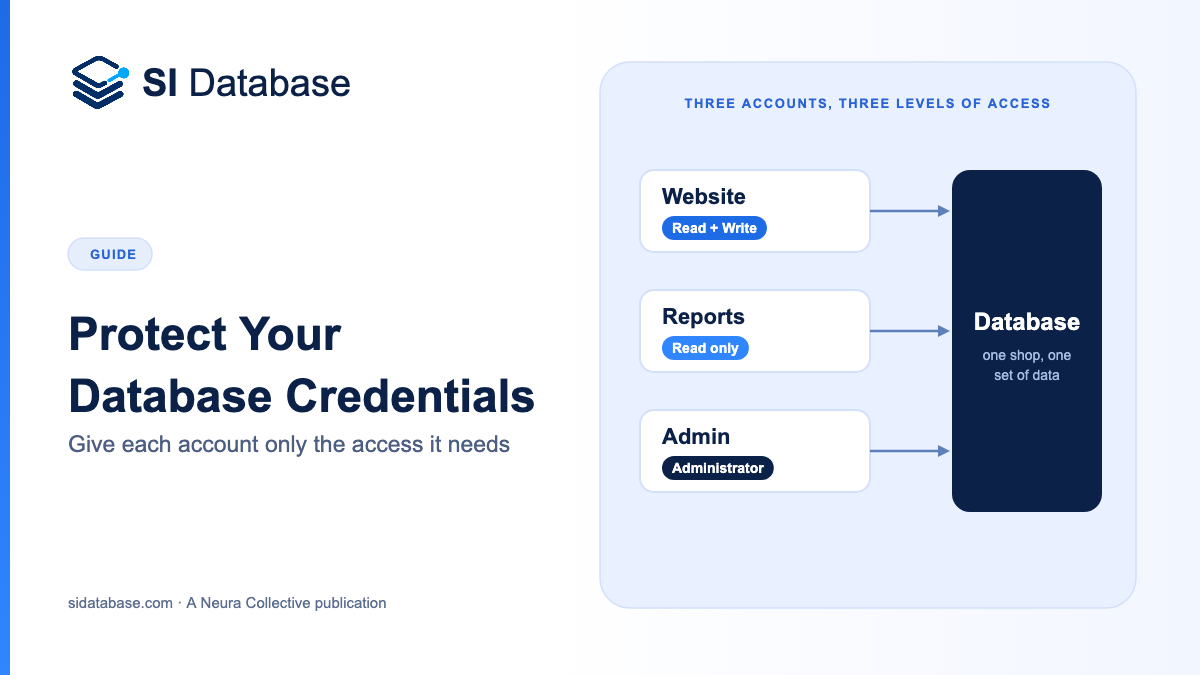
Here is how the invented shop might split its access.
| Account | Used by | Allowed | Not allowed |
|---|---|---|---|
| website | The online store | Read, add, and change orders | Delete tables, read staff records |
| reports | The monthly sales report | Read orders only | Change anything |
| admin | One named person, rarely | Everything | Use by the website |
With this setup, the leaked password in the opening example would belong to the website account. A stranger could still read and change orders, which is serious, but could not delete the whole database or reach unrelated data.
Most databases let you set this up in a few lines. In PostgreSQL, the permission to change a table called accounts is given to a person named joe like this:
GRANT UPDATE ON accounts TO joe;The next line revokes the privileges on that table that were granted to everyone through the special PUBLIC role. It does not remove permissions granted separately to individual accounts:
REVOKE ALL ON accounts FROM PUBLIC;Both examples come from the PostgreSQL documentation on privileges. Other databases use similar commands with their own details, so check your own system’s documentation.
PostgreSQL is one of many systems in our platform directory. Deciding who gets access is also part of data governance.
Keep passwords out of code
The goal is for a password to live in one guarded place and reach a program only when it runs. The OWASP guidance points to four habits.
- Store secrets in one managed place. OWASP recommends centralizing the storage, handing out, auditing, and rotation of secrets, so every team handles them the same way. Such tools are often called secrets managers.
- Keep settings files out of source control. For a settings file that holds credentials, OWASP advises keeping it outside the web root, with restricted read permissions, excluded from source control, and encrypted where possible.
- Prefer short-lived credentials. Where possible, use dynamic secrets that expire quickly and can be revoked. OWASP also warns that restarting an application does not cancel a stolen credential.
- Rotate regularly. Change application credentials on an appropriate schedule, preferably through an automated process. If one may have been exposed, revoke or replace it right away instead of waiting for the next scheduled change. OWASP excludes human user passwords from routine rotation and advises changing them when compromise is suspected.
OWASP discourages environment variables unless no other method is possible, because they can appear in logs or system dumps.
If a password has already leaked, deleting it from the code is not enough. OWASP notes that rewriting a repository’s commit history is possible but can break other links to those commits. The reliable fix is to change the password, so the old one no longer works anywhere. After that, check the database’s access logs for suspicious activity and confirm that every application using the old password has been updated. Automated scanners can also check code for secrets, including before a change is saved to the repository. One example is the GitGuardian secrets scanning tool.
Three questions before you share database access
- Does this account need to exist? If a login serves no current program or person, remove it. OWASP advises regular reviews of accounts and removing them when an application is retired.
- What is the least it needs to do? Start with read-only access and add permissions only when something fails for a good reason. Separate accounts for testing and production keep a test mistake away from real data.
- Where does the password live, and who can see it? If the answer is “in the code” or “in a message,” move it to a managed place and change it. A password that has been somewhere public should be treated as used.
Sources and further reading
- OWASP, Secrets Management Cheat Sheet — guidance on hardcoded secrets, central management, rotation, short-lived credentials, and logs.
- OWASP, Database Security Cheat Sheet — network access, authentication, least privilege, separate accounts, and encryption for databases.
- PostgreSQL Global Development Group, Privileges — how ownership, GRANT, and REVOKE control access in PostgreSQL.
- GitGuardian, The State of Secrets Sprawl 2026 — vendor research on hardcoded secrets in public GitHub commits.
- GitGuardian, Secrets scanning tool — what a commercial secrets scanner checks and where.
Read next
Know someone who would find this useful?
Share it with a colleague or post it where your team talks about data.

The Data Behind AI
A 48-page illustrated guide to databases, search, and intelligent systems. No coding required.
Explore the book →